
plotSetAxesPen#
Purpose#
Sets the color, thickness and style for the axes lines.
Format#
- plotSetAxesPen(&myPlot, thickness[, clr[, style]])#
- Parameters:
&myPlot (struct pointer) – A
plotControlstructure pointer.thickness (Scalar) – the thickness of the axes line in pixels.
clr (string) – Optional argument, name or rgb value of the new color for the axes.
style (Scalar) –
the style of the pen. Options include:
1
solidSolid line.
2
dashDash line.
3
dotDot line.
4
dashdotDash-Dot line.
5
dashdotdotDash-Dot-Dot line.
Examples#
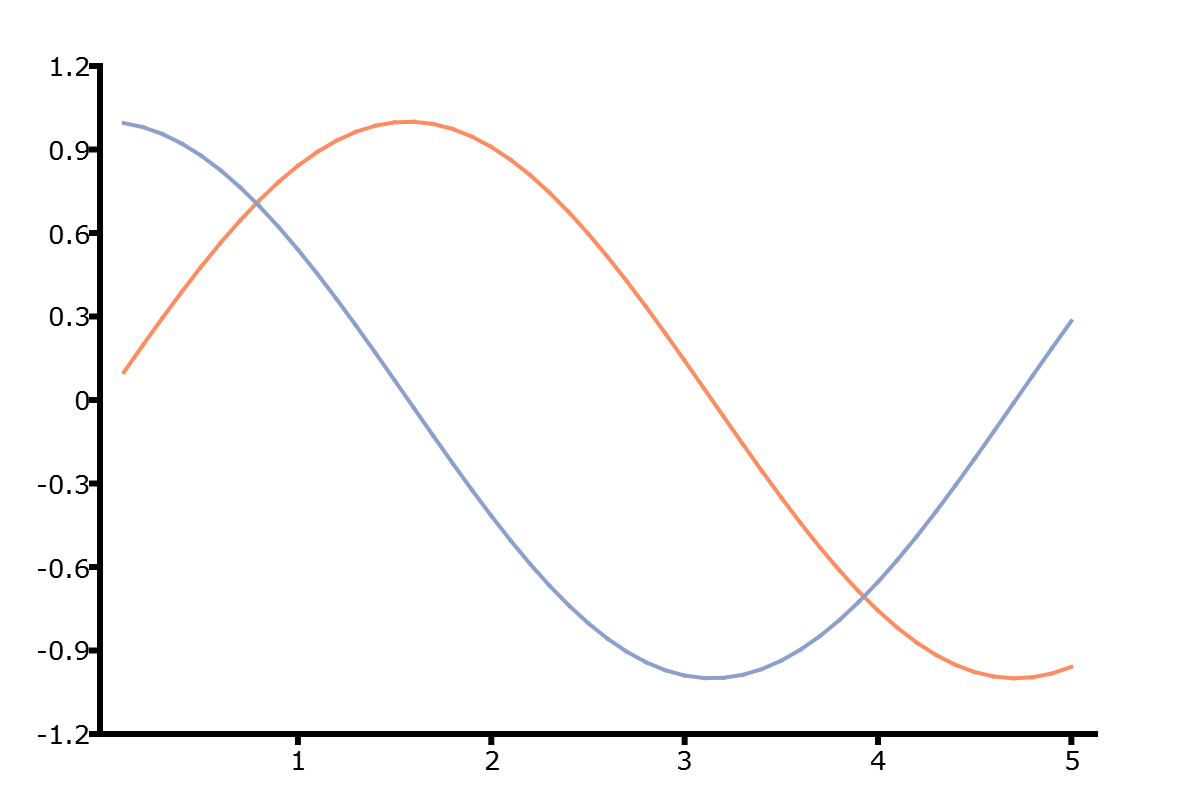
// Declare plotControl structure
struct plotControl myPlot;

// Initialize plotControl structure
myPlot = plotGetDefaults("xy");

// Set drawn axes lines to be 3 pixels wide and black
plotSetAxesPen(&myPlot, 3, "black");

// Create data
x = seqa(0.1, 0.1, 50);
y = sin(x)~cos(x);

// Plot the data with the new line colors
plotXY(myPlot, x, y);
Remarks#
The X and Y axis line properties can be set separately with
plotSetXPen()andplotSetYPen().A bounding box can be set around the entire graph with
plotSetOutlineEnabled().
Note
This function sets an attribute in a plotControl structure. It does not
affect an existing graph, or a new graph drawn using the default
settings that are accessible from the
menu.
See also
Functions plotGetDefaults(), plotSetLinePen(), plotSetXPen(), plotSetYPen()